

Quick Takeaways
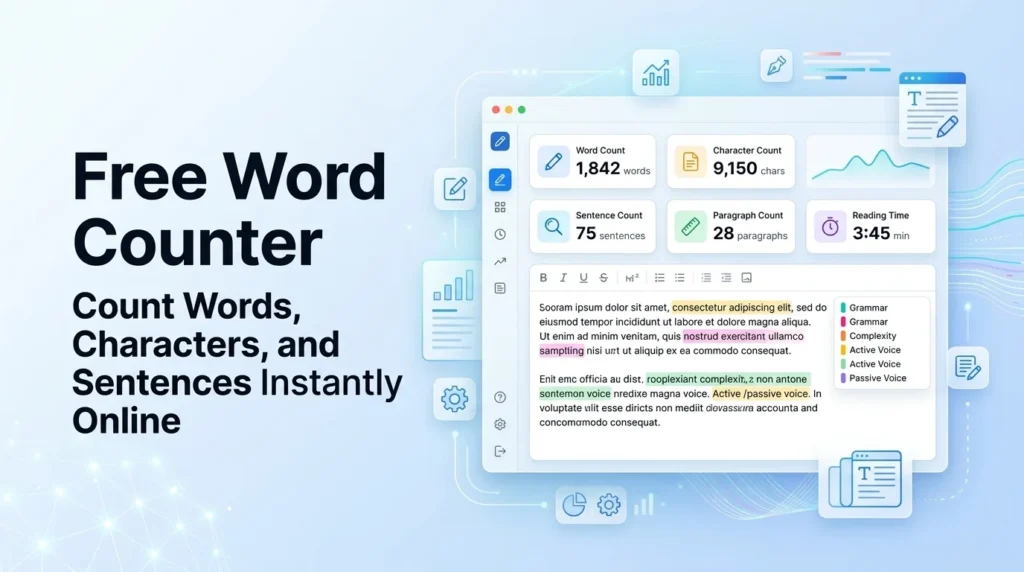
- A word counter instantly measures words, characters, sentences, paragraphs, reading time, and keyword density in real time.
- Ideal blog post length for SEO in 2026 is 1,500 to 2,500 words; pillar content should reach 3,000 to 5,000+ words.
- Meta descriptions should stay between 150 and 160 characters; title tags between 50 and 60 characters.
- Keyword density of 0.5% to 2% is the safe range; anything above 5% risks over-optimization penalties.
- A Flesch Reading Ease score of 60 to 70 is ideal for general web content.
- Online word counters process text in your browser, meaning your content is never sent to a server.
- Reading time is calculated at roughly 200 to 238 words per minute; speaking time at 130 to 150 words per minute.
What Does This Word Counter Actually Show You?
Most people open a word counter because they need one number: the word count. But once you start using a full-featured tool, you realize there is a lot more going on than just counting words.
Here is a breakdown of every metric this tool tracks and why each one matters.
Word Count and Character Count
Word count is straightforward: it counts how many words are in your text. The tool splits your text on whitespace, the same method Microsoft Word uses, so the numbers match.
Character count works differently. It counts every single character in your text, including letters, numbers, punctuation marks, and spaces. Most tools show two versions: characters with spaces and characters without spaces.
Why does this matter? Because many platforms impose strict character limits rather than word limits. Google truncates title tags at around 600 pixels, which works out to roughly 60 characters. Meta descriptions get cut after about 160 characters. Twitter limits free posts to 280 characters. If you are writing for these platforms, character count is the number you actually need to watch.
Sentence Count and Paragraph Count
These two metrics help you understand the structural balance of your writing. A piece with many short sentences reads quickly and energetically. One with very long sentences can slow a reader down or lose them entirely.
Paragraph count gives you a sense of how your content breathes on the page. Short paragraphs are easier to read online, where people scan rather than read word for word. If your paragraph count is low relative to your word count, your paragraphs are likely too long for web reading.
Reading Time and Speaking Time
Reading time is calculated at an average adult reading speed of 200 to 238 words per minute. Speaking time uses a slower rate of 130 to 150 words per minute, since speech includes natural pauses and emphasis.
These estimates are genuinely useful across many situations:
- A blogger can confirm a post is long enough to justify “10-minute read” labeling.
- A teacher can estimate whether a lecture script fits within a class period.
- A podcaster can check whether a script will hit a 20-minute episode target.
- A conference speaker can time a presentation without reading it aloud first.
Keyword Density and Top Keywords
Keyword density is the percentage of times a specific word appears relative to your total word count. If you write 1,000 words and a term appears 10 times, its density is 1%.
The tool strips common stop words like “the,” “and,” and “is,” then ranks the remaining terms by frequency. This gives you a clean view of which words dominate your content, which is useful for spotting both intentional focus and accidental repetition.
Readability Score
The readability score tells you how easy your text is to read. This tool uses two established formulas:
Flesch Reading Ease scores content on a scale from 0 to 100. Higher scores mean easier reading. A score of 60 to 70 is considered plain English and is ideal for general web content.
Flesch-Kincaid Grade Level translates your writing into a US school grade equivalent. For most web content, a grade level of 7 to 8 is the target. This means a 13- to 14-year-old could comfortably read and understand your text.
These scores look at two things: sentence length and syllable count per word. Long sentences and polysyllabic words push the score toward harder reading. Short sentences and simple words pull it toward easier reading.
Passive Voice Detection
This is a feature most word counters skip entirely. Passive voice is not grammatically wrong, but overusing it makes writing feel distant and weak. Aim to keep passive voice below 10% of your sentences. The tool highlights passive constructions so you can rewrite them into active voice where it improves clarity.
How to Use the Word Counter: Step by Step
Step 1: Type or Paste Your Text
Open the tool and either type directly into the text box or paste text you have already written. Every metric updates in real time as you type or edit. There is no submit button to press, and no page refresh to wait for.
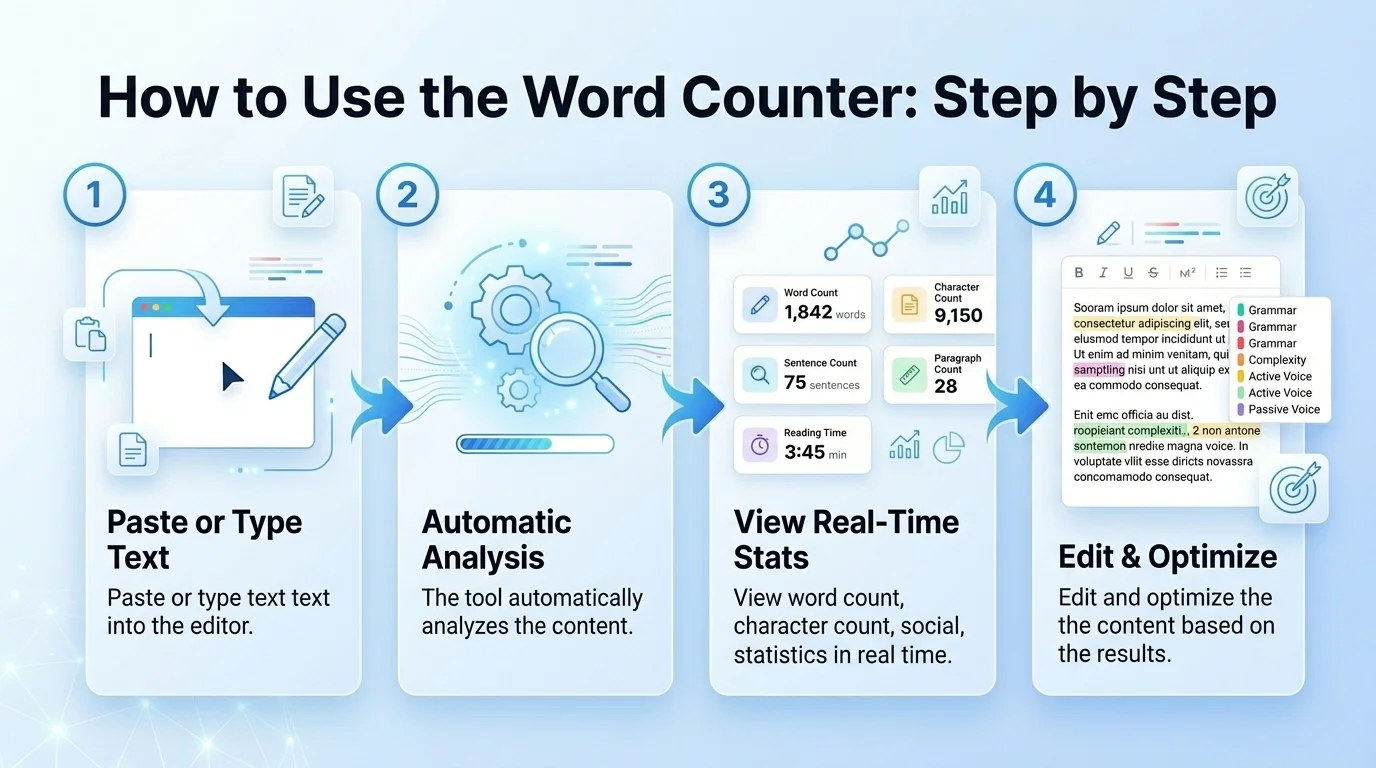
Step 2: Read Your Instant Metrics
Once your text is in the box, the tool immediately shows:
- Total words
- Total characters (with and without spaces)
- Sentence count
- Paragraph count
- Estimated reading time
- Estimated speaking time
- Top keywords and their density
- Readability score
Step 3: Set a Writing Goal and Track Progress
If you are working toward a specific word count, like a 500-word product description or a 1,500-word article, use the goal tracker. Set your target number, and a progress bar shows how close you are as you write. This eliminates the habit of stopping to manually check your count every few minutes.
Step 4: Upload a File
Not all your writing starts in a browser. You can upload a PDF, DOCX, or TXT file directly into the tool. It extracts the text, strips formatting, and gives you a full analysis in seconds. This is particularly useful for auditing existing content, checking a client’s article, or reviewing content before publishing.
Step 5: Copy, Download, or Export Your Results
Once you are done, you can copy the analyzed text to your clipboard, download it as a file, or copy your metrics for use in a content brief, report, or editorial review.
Word Count Benchmarks by Content Type (2026)
One of the most common questions about word count is: how long should this piece be? The honest answer is always “as long as it needs to be to fully cover the topic.” But data from SEO studies does give us useful starting ranges.
These numbers are benchmarks, not rules. Always check what the top-ranking pages for your specific keyword look like before committing to a target.
| Content Type | Recommended Word Count |
|---|---|
| Blog post (informational) | 1,500 to 2,500 words |
| Pillar page or comprehensive guide | 3,000 to 5,000+ words |
| Product page | 300 to 500 words |
| Service page | 800 to 1,500 words |
| Landing page (direct response) | 300 to 500 words |
| Landing page (high-consideration) | 1,000 to 2,000 words |
| Homepage | 500 to 1,000 words |
| Press release | 400 to 600 words |
| Email subject line | Under 60 characters (about 6 to 10 words) |
| Email body (marketing) | 200 to 300 words |
| Video script (10-min video at 130 wpm) | Approximately 1,300 words |
| Podcast script (30-min episode at 140 wpm) | Approximately 4,200 words |
| Short story | 1,000 to 7,500 words |
| Novel | 70,000 to 100,000 words |
A few things to keep in mind:
Longer does not always mean better. A 3,000-word product page filled with repetition will underperform a 400-word product page that directly answers what the buyer wants to know.
Topic complexity drives appropriate length. A “what is a word counter” post needs far fewer words than a “complete guide to SEO content strategy.” Match length to topic depth.
Competitor benchmarking matters. Use this tool to check the word count of the pages currently ranking in the top five for your target keyword. Aim to match or meaningfully exceed their depth while adding something genuinely new.
Character Limits for SEO and Social Media (2026 Reference)
Getting your character counts right for SEO metadata is non-negotiable. Google does not cut content at a fixed character count but at a pixel width, which varies by font and screen. These character ranges are practical guidelines that work reliably.
| SEO Element | Character Limit |
|---|---|
| Title tag | 50 to 60 characters |
| Meta description | 150 to 160 characters |
| H1 heading | 20 to 70 characters |
| Image alt text | 80 to 125 characters |
| Open Graph title | Under 60 characters |
| Open Graph description | Under 200 characters |
Title Tag Length Best Practices
Title tags that exceed 60 characters often get truncated in search results with an ellipsis, which cuts off important information and reduces click-through rates.
Meta Description Guidelines
Meta descriptions between 150 and 160 characters display fully on desktop searches. Going shorter is fine if you have said everything useful. Going longer means Google will cut your text mid-sentence, which can look awkward in results.
Why Image Alt Text Matters
Alt text for images serves two purposes: it tells screen readers what an image shows, and it gives search engines a text signal about the image content. Keep it descriptive and specific, not keyword-stuffed.
Social Media Character Limits
| Platform | Limit | Notes |
|---|---|---|
| Twitter / X (free) | 280 characters | Engagement peaks at 71 to 100 characters |
| Twitter / X (Premium) | 25,000 characters | Full long-form posts available |
| Instagram caption | 2,200 characters | Feed shows only first ~125 before “more” |
| Instagram bio | 150 characters | Fully visible, no truncation |
| LinkedIn post | 3,000 characters | Feed cuts off around 210 characters |
| Facebook post | No hard limit | ~250 characters displayed before “see more” |
| YouTube description | 5,000 characters | About 157 characters visible above the fold |
| TikTok caption | 2,200 characters | First ~100 characters visible before cutoff |
| Pinterest description | 500 characters | Most visible text is first 50 to 60 characters |
The practical takeaway for social media: your first sentence carries the most weight. Write the most important part of your message within the first 100 to 125 characters, because that is what people see before they decide to read more.
This question deserves a direct, honest answer: word count by itself is not a ranking factor. Google has confirmed this repeatedly. Simply adding more words to a page does not make it rank higher. But here is the nuance that matters.
Longer content tends to rank better for informational queries because it covers topics more thoroughly. A study by Backlinko found that the average first-page result on Google contains around 1,447 words. Semrush data from similar periods found the average to be closer to 2,400 words for competitive informational keywords. These are averages, not targets, but they tell you what Google tends to reward: comprehensive content.
What actually drives rankings is topical completeness.
A 2,000-word article that thoroughly covers all the angles of a topic will outperform a 5,000-word article that pads the same points repeatedly. Search engines evaluate whether your content satisfies the user’s full question, not whether it hits a word count threshold.
Search intent overrides everything. A user searching for “how to fix a 404 error” wants a concise technical answer. A 3,000-word response that buries the fix will have a higher bounce rate than a 600-word response that solves the problem immediately. Word count must serve the intent, not fight against it.
The practical approach:
- Identify the top five ranking pages for your target keyword.
- Use this word counter to check their average length.
- Write content that matches or exceeds that depth while adding something those pages missed.
- Check your readability score and keyword density to ensure quality, not just quantity.
Understanding Readability Scores
Flesch Reading Ease: The Full Scale
The Flesch Reading Ease formula was developed by Rudolf Flesch in 1948 and remains one of the most widely used readability measures in publishing and web content.
| Score Range | Reading Level | Suitable For |
|---|---|---|
| 90 to 100 | Very easy | 5th grade, young children |
| 80 to 90 | Easy | 6th grade, conversational writing |
| 70 to 80 | Fairly easy | 7th grade, most general audiences |
| 60 to 70 | Standard | 8th to 9th grade, plain English for the web |
| 50 to 60 | Fairly difficult | 10th to 12th grade |
| 30 to 50 | Difficult | College level |
| 0 to 30 | Very difficult | College graduate, academic papers |
For most web content, the sweet spot is 60 to 70. This does not mean you should dumb down your writing. It means you should make complex ideas accessible, which is actually harder to do well than writing in dense academic prose.
Flesch-Kincaid Grade Level
This formula converts the same data into a US school grade number. A score of 8.0 means an 8th grader could read your content comfortably. For general web audiences, target a grade level of 7 to 8. For technical content aimed at professionals, a grade of 10 to 12 is acceptable.
Automated Readability Index (ARI)
ARI uses character count per word rather than syllable count, which makes it faster to compute and more consistent across digital tools. It produces a grade-level score similar to Flesch-Kincaid but calculates it slightly differently. Most modern word counters show all three scores together, since each catches different readability issues.
How to Improve Your Readability Score
If your score is lower than you want, these specific changes make the biggest difference:
- Break long sentences into two shorter ones.
- Replace multi-syllable words with simpler alternatives where meaning is not lost.
- Use bullet points and numbered lists for items you would otherwise list in a long sentence.
- Limit each paragraph to two to four sentences.
- Use subheadings to break long sections into scannable chunks.
Keyword Density: What It Is and How to Use It
What Is Keyword Density?
Keyword density is the percentage of times a specific word or phrase appears in your content relative to the total word count.
Formula: (Number of times keyword appears / Total word count) x 100 = Keyword density %
Example: If you write a 1,000-word article and your target keyword appears 12 times, its density is 1.2%.
What Keyword Density Should You Target in 2026?
The widely accepted safe range is 0.5% to 2% for your primary keyword. This gives search engines enough signal to understand your topic without triggering over-optimization flags.
If a single keyword exceeds 5% density, it starts to look like keyword stuffing, which Google actively penalizes. More importantly, artificially repeated keywords make content harder to read, which hurts user experience.
Modern SEO does not chase keyword density. The better question is not “how often did I use this keyword?” but “does my content fully cover this topic?” Write naturally for your reader. Use synonyms, related phrases, and natural variations. The keyword density tool is most useful as a check for accidental repetition, not as a target to hit.
TF-IDF: The Advanced Layer Behind Keyword Analysis
TF-IDF stands for Term Frequency-Inverse Document Frequency. It is a more sophisticated way of measuring keyword relevance than simple density.
Where keyword density measures how often a word appears in your document, TF-IDF measures how important that word is relative to a larger set of documents on the same topic. A word that appears frequently in your article but rarely in other articles about the same topic is flagged as distinctive and likely meaningful. A word that appears everywhere (like “the” or “is”) gets a low TF-IDF score even if it appears many times.
Many enterprise SEO tools use TF-IDF analysis to identify which terms should appear in a well-optimized piece. The keyword density section of a word counter gives you the raw frequency data that feeds into this kind of analysis.
Reading Time and Speaking Time: How They Are Calculated
Average Adult Reading Speed
The standard estimate for average adult reading speed is 200 to 238 words per minute. Research on reading rates varies depending on comprehension levels, text complexity, and whether the reading is on screen or print. Screen reading tends to be 20 to 30% slower than print reading because of how people process digital text.
This is why the reading time estimate from a word counter is an approximation, not a guarantee. A dense technical article will take longer to read at the same word count than a conversational blog post written at grade 6 readability.
Average Speaking Speed
Human speech runs at an average of 130 to 150 words per minute in normal conversational delivery. Public speakers and broadcasters often aim for 150 to 160 words per minute for clarity and energy. Audiobook narrators average around 150 to 160 words per minute.
Practical speaking time applications:
- A 20-minute podcast episode needs approximately 2,600 to 3,000 words of script.
- A 15-minute conference presentation needs approximately 1,950 to 2,250 words.
- A 5-minute explainer video at a comfortable pace needs approximately 650 to 750 words.
Use these estimates during pre-production, not post-production. Writing to time before you record is far less painful than editing audio down after the fact.
Word Counter Use Cases: Who Uses It and Why
Students and Academic Writers
Academic work often comes with strict word count requirements that work both ways: going too short suggests incomplete analysis, and going too long may violate submission guidelines.
Where word counters help students:
- Confirming an essay meets the minimum required length before submission
- Staying within the maximum word count on research papers with strict limits
- Checking that an abstract stays within a 250 to 300-word limit
- Measuring paragraph length for assignments that require balanced structure
A word counter also helps academic writers notice when they are padding arguments to hit a word count, which is one of the fastest ways to get feedback that your writing lacks focus.
SEO Professionals and Content Marketers
SEO work involves word counting at multiple stages:
keyword research: Checking competitor content length to understand what depth Google is already rewarding for a given keyword.
content briefs: Setting realistic word count targets for writers based on competitive analysis rather than guesswork.
content audits: Identifying thin content pages (typically under 300 words on informational topics) that may be hurting overall site authority.
During metadata writing: Making sure title tags, meta descriptions, and Open Graph tags hit their character limits without going over.
Bloggers and Content Creators
Bloggers use word counters primarily to balance two competing pressures: writing long enough to cover a topic thoroughly and keeping content tight enough to maintain reader attention.
The reading time estimate is particularly valuable here. Labeling a post as a “5-minute read” or “12-minute read” in the introduction sets reader expectations upfront and reduces bounce rate from people who feel surprised by content length.
Copywriters and Freelancers
Copywriters often work to client briefs that specify exact word counts for different content types. A word counter helps freelancers:
- Confirm deliverables meet specifications before sending
- Estimate pricing for projects paid per word
- Check character counts for ad copy across Google Ads, Facebook Ads, and display networks
- Verify that paid content matches the contracted scope
Social Media Managers
Platform character limits are a constant constraint in social media work. The most useful combination is checking both the total character count and the “above the fold” count, meaning the characters visible before the “read more” cutoff on each platform. Writing the most compelling part of your message within the first 100 to 125 characters is a habit that pays off across Instagram, LinkedIn, and Facebook.
Video and Podcast Creators
Script word count is a planning tool for audio and video production. Knowing that a 10-minute video at a comfortable speaking pace needs roughly 1,300 words lets you plan script length before you start writing, not after.
For podcasters running interview formats, a rough word count of prepared talking points helps estimate how much of an interview will fill a given episode length.
Using a Word Counter for AI-Generated Content
This is an area where almost no word counter guidance exists yet, and it matters more by the day.
AI writing tools like ChatGPT, Claude, and Gemini can generate hundreds or thousands of words in seconds. But raw AI output has predictable quality issues that a word counter can help surface and fix.
Why AI Content Still Needs Word Count Analysis
AI models tend to pad content. They often repeat points in different phrasing to fill space, which inflates word count without adding information density. Running AI-generated text through a word counter and checking the top keywords often reveals this pattern quickly: the same three or four terms appearing at unusually high density.
Checking Keyword Density in AI-Drafted Articles
AI tools do not inherently know your target keyword density. They write to cover a topic broadly, which sometimes means under-mentioning your primary keyword and over-mentioning related terms. The keyword density feature in a word counter lets you check immediately whether your target keyword is appearing at a reasonable frequency or getting lost in the surrounding text.
Readability Issues Common in AI Writing
AI-generated content often has a readability problem in the opposite direction from what most people expect: it reads at too high a grade level. AI models frequently use nominalization (turning verbs into nouns, like “the optimization of content” instead of “optimizing content”), which inflates sentence complexity and pushes Flesch-Kincaid scores into the 10 to 12 grade range.
Run AI drafts through the readability checker and look specifically for:
- Long average sentence length (above 20 words per sentence is a warning sign)
- High passive voice percentage (above 15% is worth fixing)
- Flesch Reading Ease below 50 for general audience content
Ideal Word Count for AI-Assisted Content in 2026
The same benchmarks apply to AI-assisted and human-written content alike. What matters is that the content satisfies search intent completely and reads naturally for humans. Use AI to generate drafts, use the word counter to audit the draft, and edit until the metrics reflect the quality you want to publish.
Online Word Counter vs. Microsoft Word vs. Google Docs
People who write regularly usually have access to at least one word processor that includes a built-in word count. So why use a separate online tool?
Feature Comparison Table
| Feature | Online Word Counter | Microsoft Word | Google Docs |
|---|---|---|---|
| Word count | Yes | Yes | Yes |
| Character count | Yes | Yes (via macro) | Limited |
| Sentence count | Yes | No | No |
| Paragraph count | Yes | No | No |
| Reading time | Yes | No | No |
| Speaking time | Yes | No | No |
| Keyword density | Yes | No | No |
| Readability score | Yes | Yes (hidden in settings) | No |
| Real-time updates | Yes | Yes | Yes |
| No software needed | Yes | No | No |
| Platform character limits | Yes | No | No |
| Privacy (client-side) | Yes | N/A | No (cloud-based) |
The clearest advantage of an online word counter is the combination of metrics it provides in one place. Microsoft Word does have a readability checker, but you have to enable it in settings and then run a manual review. Google Docs shows word count in the tools menu but has no readability score, keyword density, or reading time built in.
For quick checks, the online tool is faster because you do not need to open a document or navigate a menu. You paste, you read the numbers, you close the tab.
How Hyphenated Words and Contractions Are Counted
This catches people out more than expected. Here is how counting conventions work:
- Hyphenated words like “well-known” or “long-term” count as one word, not two. Both Microsoft Word and standard online word counters follow this convention.
- Contractions like “don’t” or “it’s” count as one word.
- Numbers like “42” or “2026” count as one word each.
- Em dashes without spaces around them do not break words apart; “word-counter” without a space counts as one word.
This matters when you are working toward a precise word count requirement, like a 500-word essay that needs to be within 10% of the target.
Is Your Text Private? What Actually Happens to Your Data
Privacy anxiety around online tools is reasonable. Before you paste a confidential document or an unpublished manuscript into any tool, you want to know what happens to it.
Client-Side vs. Server-Side Processing
There are two ways an online tool can process your text:
Client-side processing means the tool runs entirely in your browser using JavaScript. Your text never leaves your device. No server receives it, no database stores it, no analytics system logs it. The moment you close the tab, the text is gone from the session.
Server-side processing means your text gets sent to a remote server to be analyzed. This is more common in tools that offer AI-powered features,s or that need to access external databases.
A well-designed word counter runs client-side. This means the tool is genuinely private by design, not just by policy.
What Browser Local Storage Does
Some word counters use your browser’s local storage to remember your text between sessions, so you can close the tab and come back to find your work still there. This data never leaves your device; it stays in your browser’s local storage the same way a website might remember your preferences.
You can clear this at any time through your browser settings under “clear site data” or “clear cookies and site data.”
GDPR and Privacy Considerations
For users in the European Union or working under GDPR-regulated organizations, client-side word counters present essentially no data processing concern since no personal data is transmitted. For server-side tools, check the privacy policy for data retention periods and whether content is used for model training.
Multilingual Word Counting: Does It Work for Other Languages?
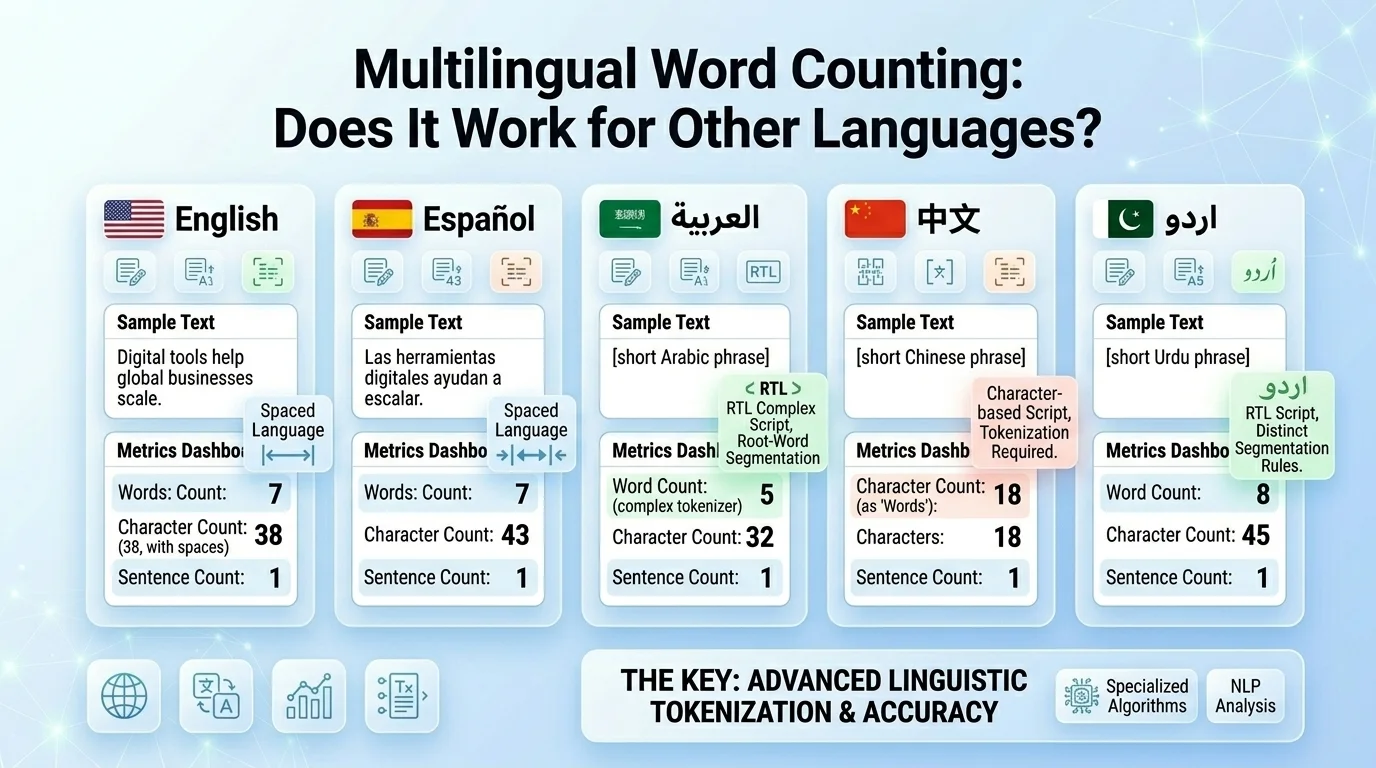
Most online word counters are built for English and work well for any language that separates words with spaces. This includes Spanish, French, German, Portuguese, Italian, and most European languages.
Languages That Use Spaces Between Words
For any language that uses whitespace between words, standard word counting works reliably. The tool splits text on whitespace and counts the resulting units. Character counting works for all languages since it counts every individual character regardless of script.
Languages That Do Not Use Spaces (CJK Scripts)
Chinese, Japanese, and Korean (CJK) present a structural challenge for word counters. These languages do not separate words with spaces in the same way English does. A sentence in Mandarin Chinese or Japanese runs as a continuous string of characters.
For CJK text, character count becomes the primary metric rather than word count. When working with content in these languages, use the character count figure as your length reference, not the word count.
Arabic and Right-to-Left Languages
Arabic, Hebrew, and other right-to-left languages use spaces between words, so standard word counting works. Character counts also work correctly. The only limitation is that some tools do not visually handle right-to-left text direction properly in the text input box, but the numerical results remain accurate.Frequently Asked Questions
What is a word counter?
A word counter is an online tool that instantly measures the number of words in a piece of text. Most modern word counters also measure character count, sentence count, paragraph count, reading time, keyword density, and readability score.
Does word count affect SEO?
Word count itself is not a direct ranking factor. Google ranks content based on how well it satisfies search intent, not how many words it contains. However, comprehensive content that thoroughly covers a topic tends to be longer, which is why studies like those from Backlinko and Semrush find a correlation between longer content and higher rankings for informational queries.
What is the ideal word count for a blog post?
For SEO-focused informational blog posts, 1,500 to 2,500 words is the typical range that performs well. Pillar content and comprehensive guides often reach 3,000 to 5,000 words. The right length is whatever it takes to fully cover the topic for your specific audience and keyword.
How is reading time calculated?
Reading time is estimated by dividing your total word count by the average adult reading speed, which is generally 200 to 238 words per minute. A 1,000-word article would take approximately four to five minutes to read.
What is keyword density and what percentage is ideal?
Keyword density is the percentage of times a specific word appears in your text relative to the total word count. The ideal range in 2026 is 0.5% to 2% for a primary keyword. Densities above 5% risk appearing as keyword stuffing to search engines.
What is the Flesch Reading Ease score?
The Flesch Reading Ease score measures how easy a piece of text is to read on a scale from 0 to 100. Higher scores indicate easier reading. A score of 60 to 70 is the target for most web content and represents clear, plain English accessible to a general adult audience.
Does this word counter store my text?
No. This tool processes your text entirely in your browser using JavaScript. Your content is never sent to a server, never stored in a database, and never logged. Closing the tab ends the session completely.
How do hyphenated words count?
Hyphenated words like “well-known” or “follow-up” count as one word, not two. This matches the convention used by Microsoft Word and is the standard approach across most word counters.
What is the character limit for a meta description?
Meta descriptions display fully in Google search results up to approximately 150 to 160 characters. Descriptions longer than 160 characters risk being truncated by Google, which can cut your message in a confusing place.
How do I count words in a PDF online?
Upload your PDF file directly into the word counter using the file upload feature. The tool extracts the text content from the PDF, strips formatting, and provides a complete word and character count analysis.
How does this word counter compare to Microsoft Word?
For basic word counting, both tools match on plain text. The online word counter adds metrics that Microsoft Word does not show by default: keyword density, reading time, speaking time, sentence count, and platform-specific character limit guidance. Microsoft Word has a readability score but requires manual activation in settings.
Can I use this tool for non-English text?
Yes, for most languages. Any language that separates words with spaces works accurately. For Chinese, Japanese, and Korean, character count is more meaningful than word count since those languages do not use spaces to separate words.
Related Tools to Use Alongside Your Word Counter
A word counter is one piece of a broader content quality toolkit. These tools complement it directly:
- Readability Checker: For a deeper analysis of sentence complexity and grade level than the built-in score provides.
- Keyword Density Checker: For checking keyword frequency across an entire website or comparing your content to top-ranking competitors.
- Meta Description Length Checker: For previewing exactly how your meta description will display in Google search results.
- Title Tag Character Counter: For optimizing title tags with a live preview of truncation.
- Plagiarism Checker: For verifying content originality before publishing, especially useful for AI-assisted drafts.
- Grammar Checker: For catching errors the readability score does not flag.
- SERP Preview Simulator: For seeing how your title tag and meta description will look in an actual search result before your page goes live.